

What training games are available and how do they work?
Updated August 23, 2026
In addition to Match, the training games Game 121, Scoring, Bob's 27 and Cricket are available under Games → Training. They can be played offline and each has its own statistics.
Every training game explains its rules on the setup screen under Game mode or Spielmodus. You don't need to memorize anything — the sections below just show what matters when configuring and entering scores.

Game 121 — Practicing Checkouts
You receive a remaining score and try to check it out. If you succeed, the value increases; if you fail, the Safehouse rule kicks in.
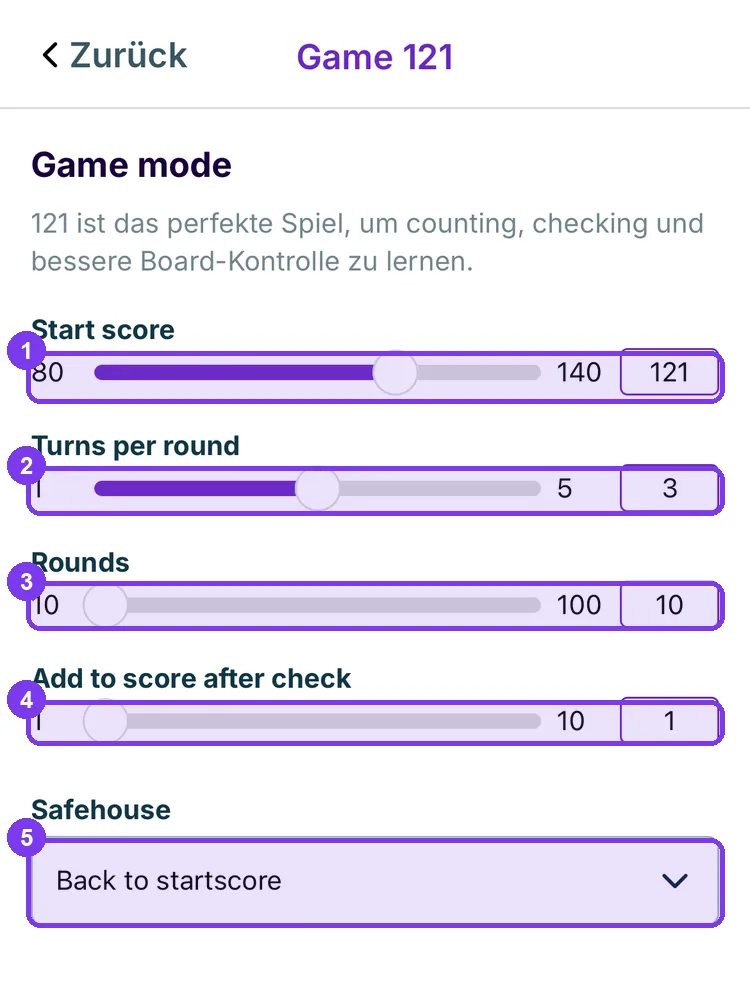
- Start score — the first remaining value, 80 to 140.
- Turns per round — how many turns you have per attempt, 1 to 5.
- Rounds — how many attempts the game lasts, 10 to 100.
- Add to score after check — how much the target value increases after a successful check.
- Safehouse — what happens after a failed attempt, e.g. Back to startscore.
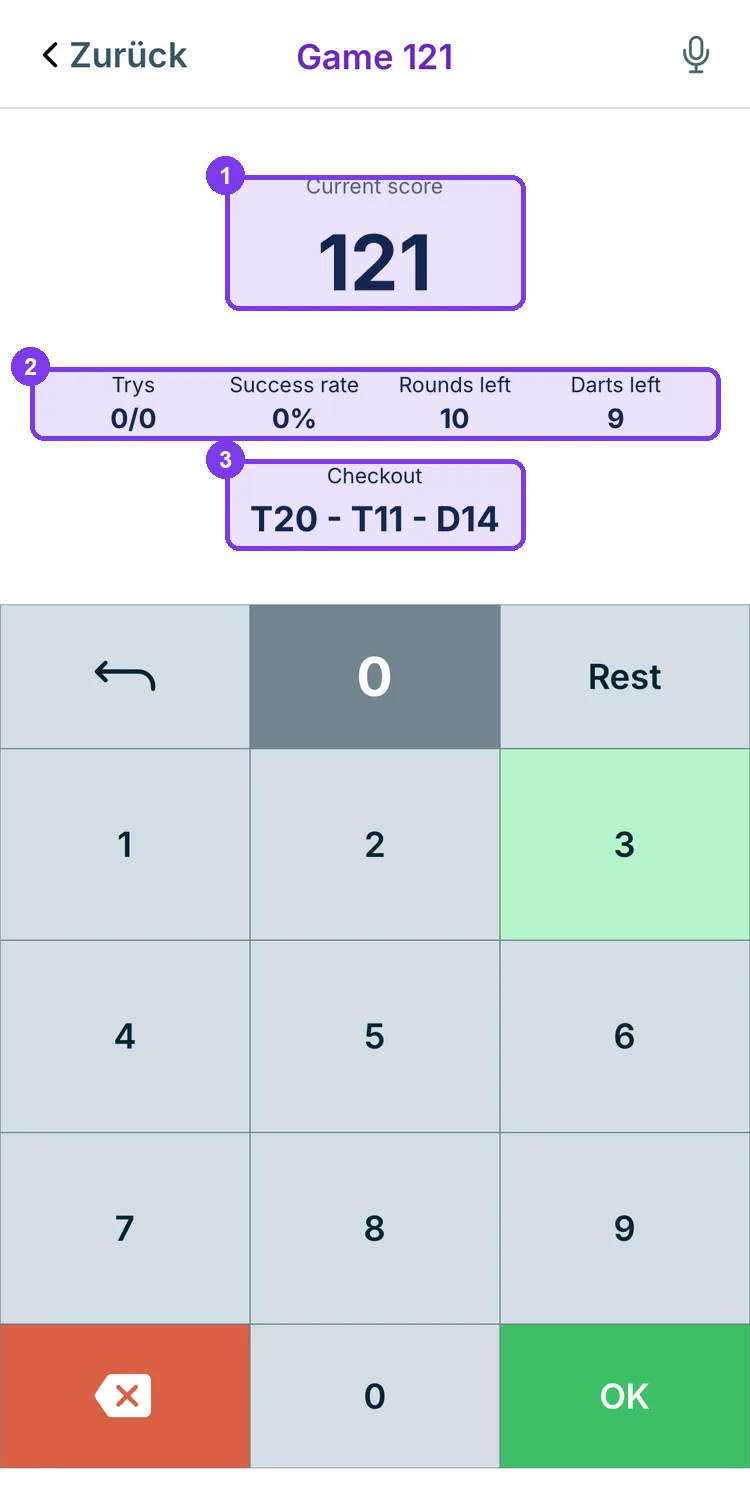
- Current score — the remaining score you need to check out right now.
- Key figures — attempts, hit rate, remaining rounds and darts.
- Checkout — the suggested route, here T20 – T11 – D14.
Scoring — Practicing High Scores
No target, no remaining score: all that counts is how many points you hit per turn.
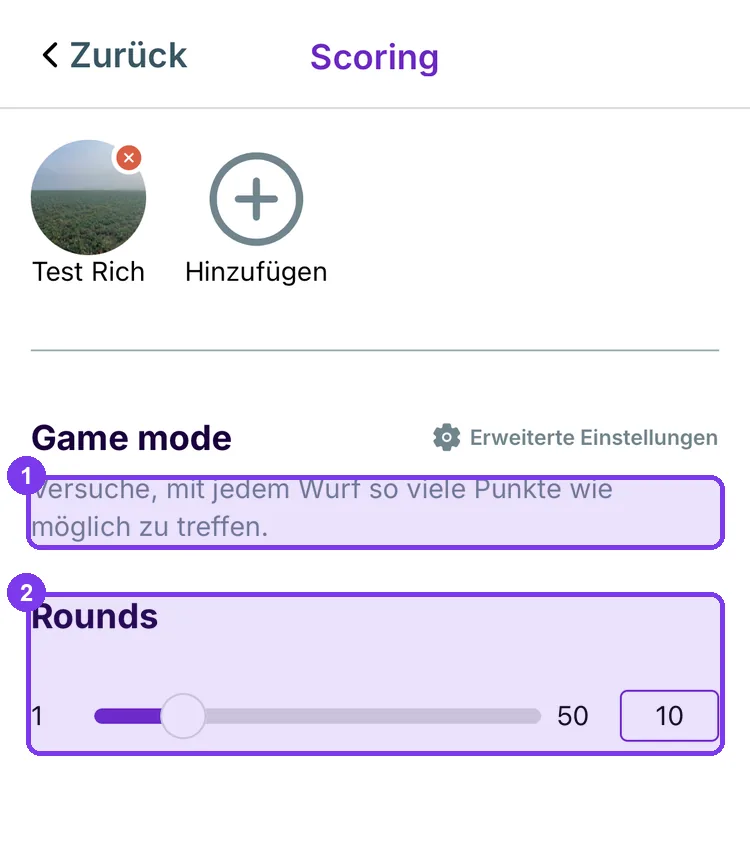
- Rule text — the rule in one sentence.
- Rounds — how many turns are counted, 1 to 50.
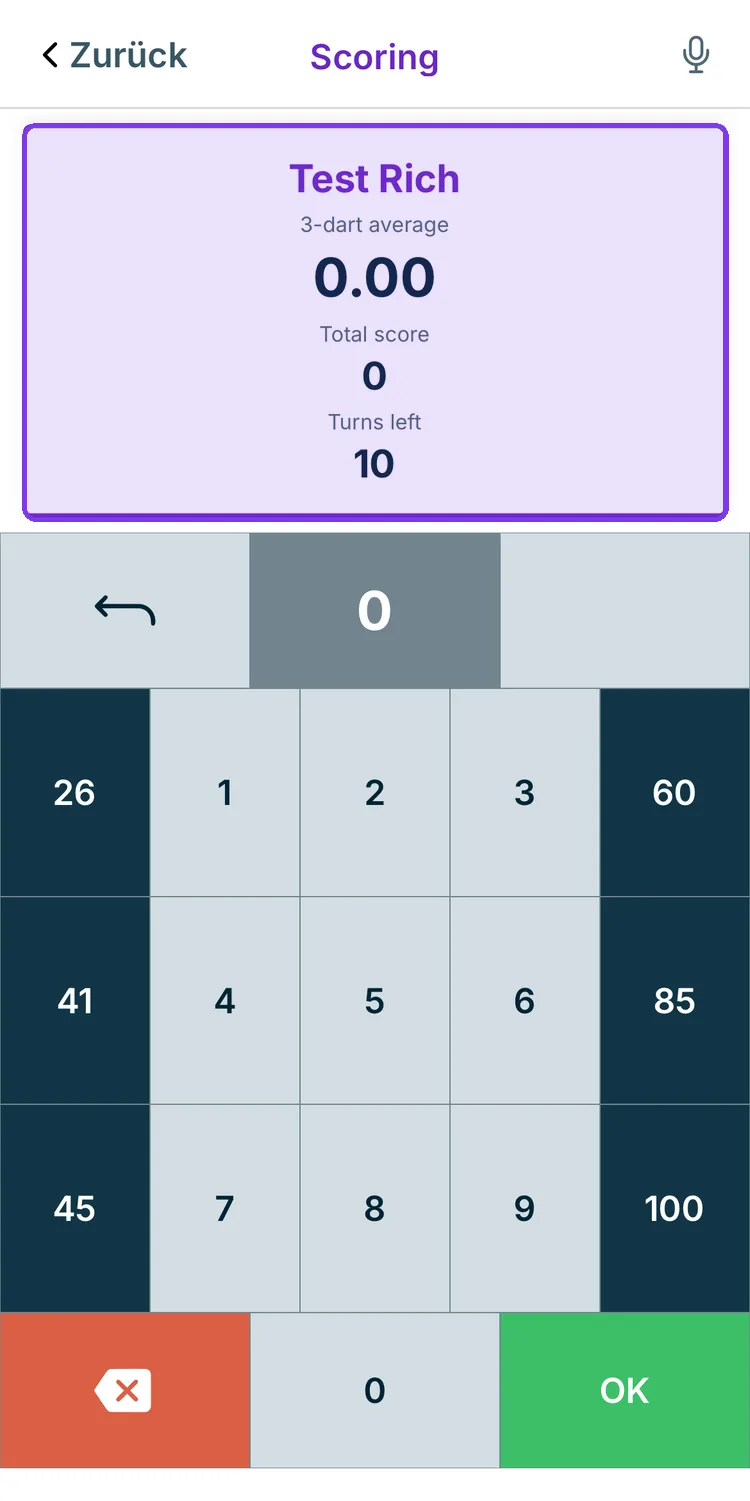
The card shows 3-dart average, total score and remaining turns. Input uses the same keyboard as in a match, including Quickscores — see Entering scores.
Bob's 27 — Practicing Doubles
You start with 27 points and throw at D1, D2, D3 and so on in order. A hit adds the value of the double; a miss subtracts it.
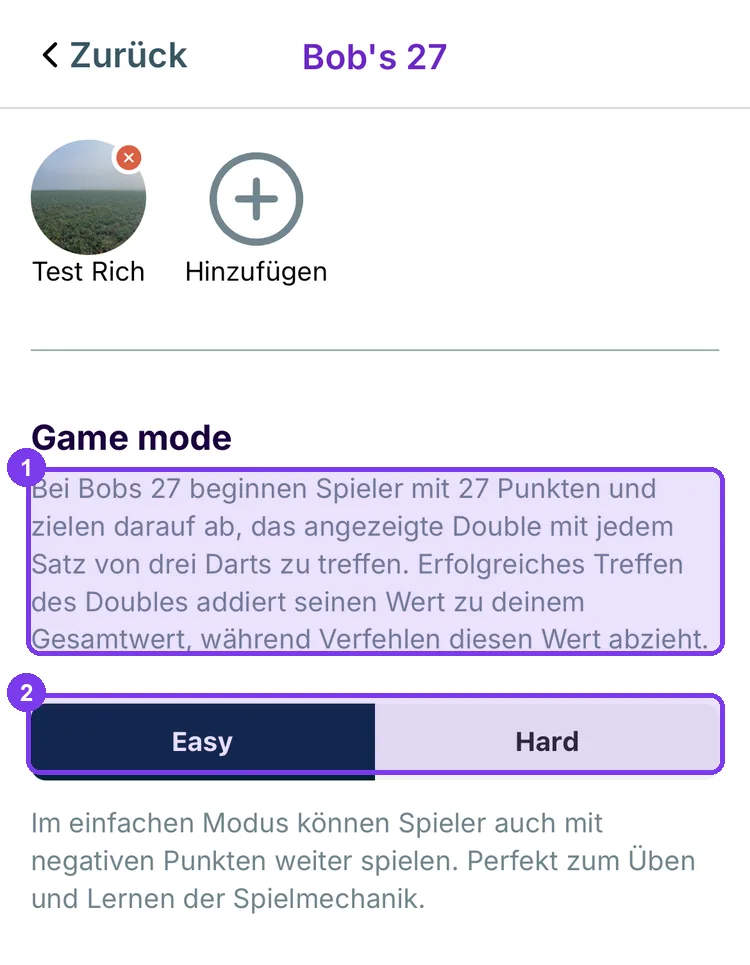
- Rules — the app explains them in full.
- Easy / Hard — in easy mode you can continue playing with a negative score; in hard mode the game ends at that point.
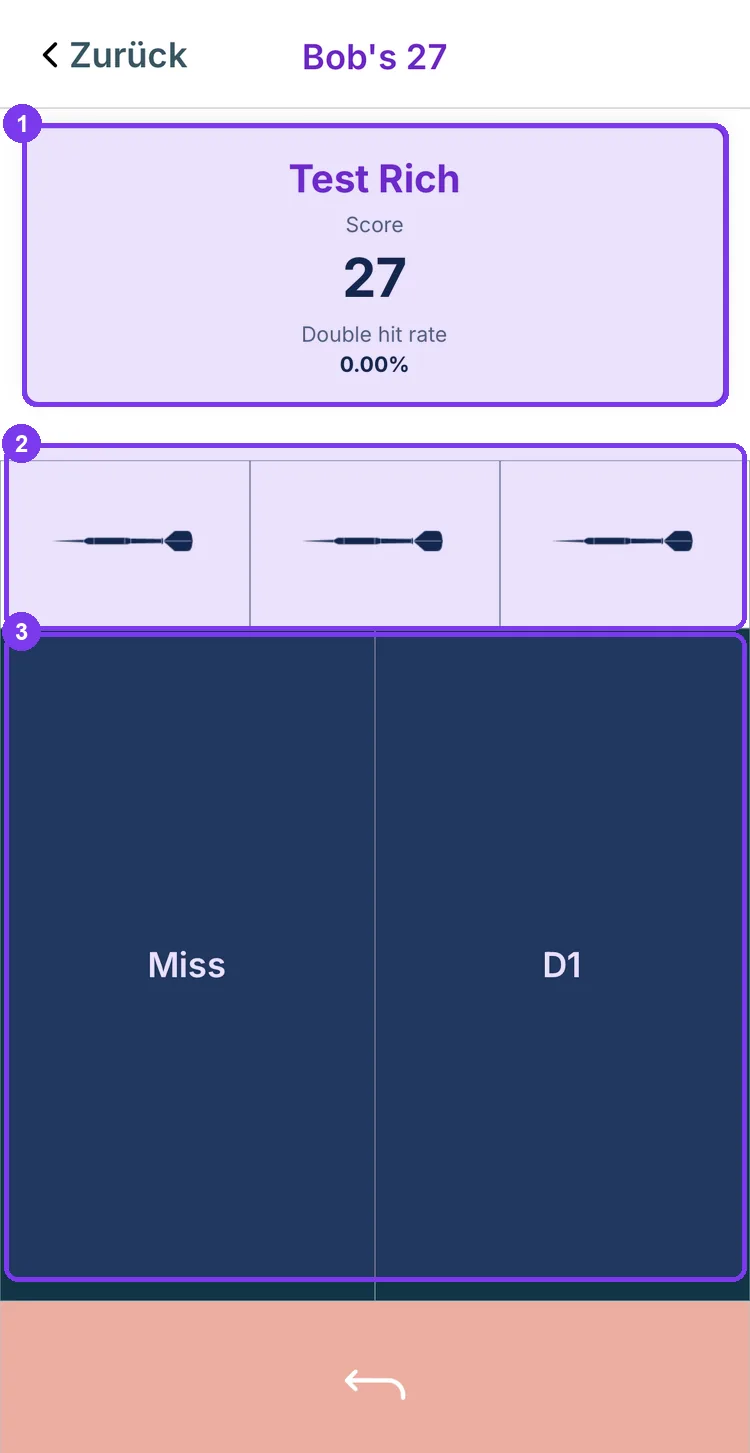
- Score — current score and double hit rate.
- The three darts — one field per dart in the turn.
- Miss / D1 — tap what the dart hit. The label changes with the target: in the next round it will read D2.
Cricket — Closing 15 to 20 and Bull
The only training game that requires two players — with just one player, Spiel starten remains grayed out.
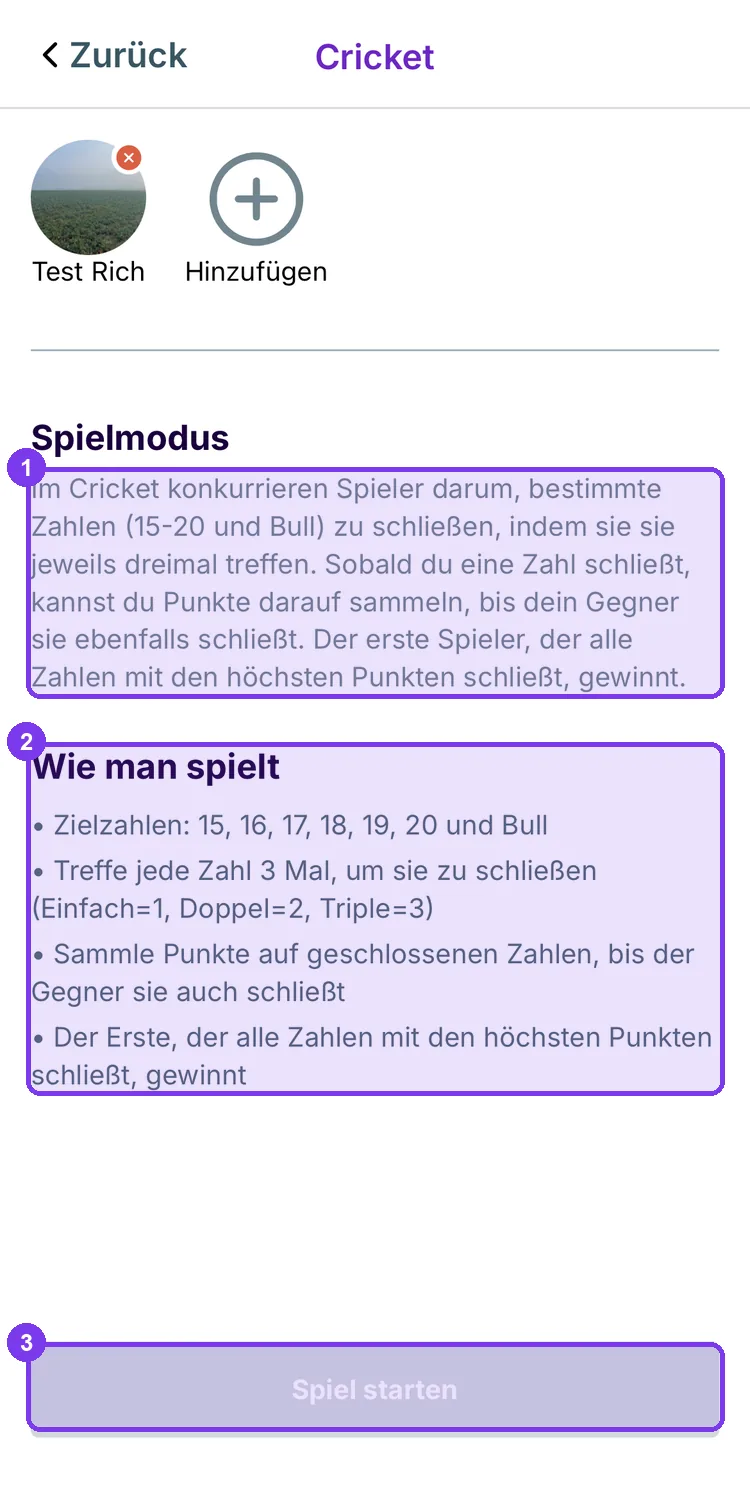
- Spielmodus — the objective of the game.
- How to play — the rules as a list.
- Spiel starten — only active once a second player has been added.
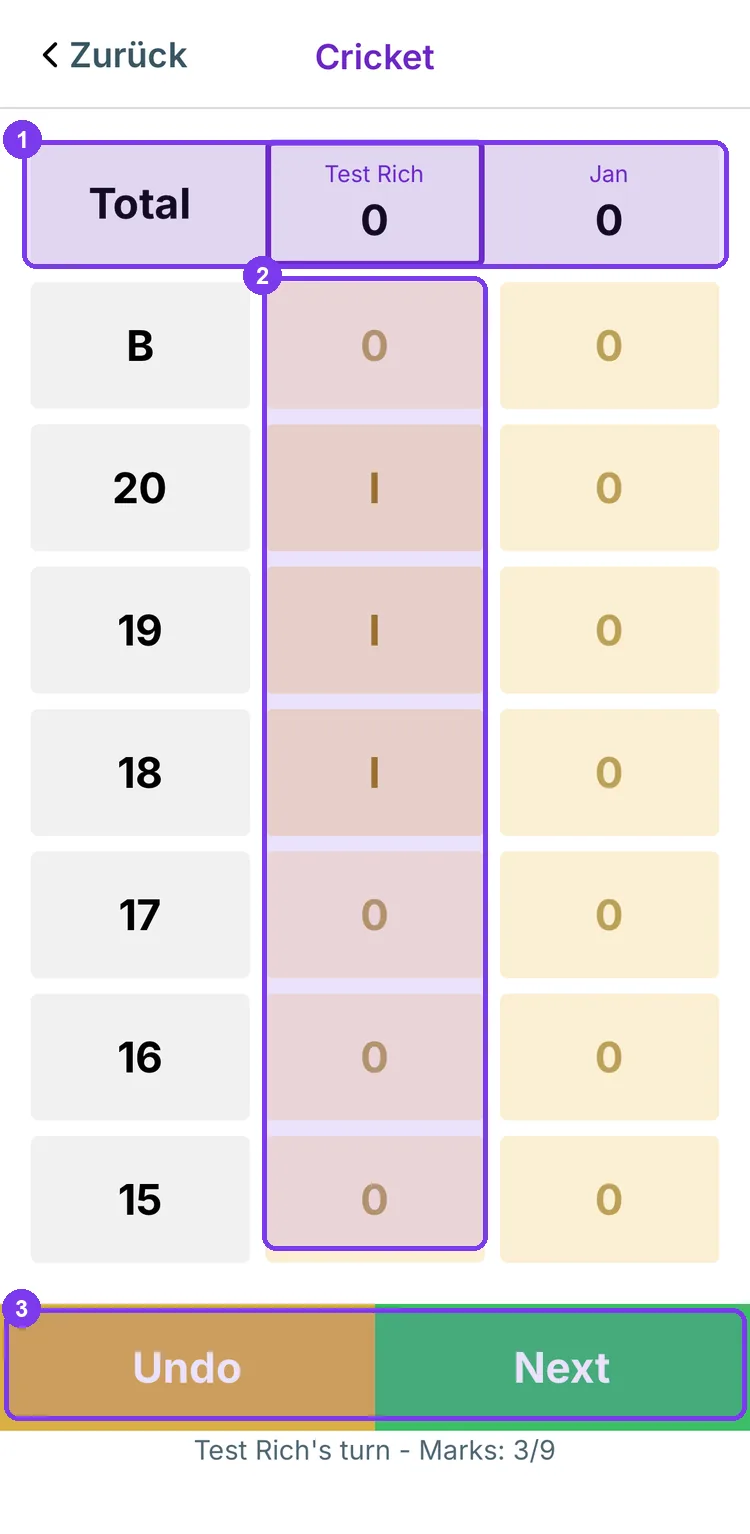
- Total — the points of both players.
- Your column — one mark per hit. Three marks close the number.
- Undo / Next — undo input or end the turn. Below it shows whose turn it is and how many of the nine marks in the turn have been assigned.
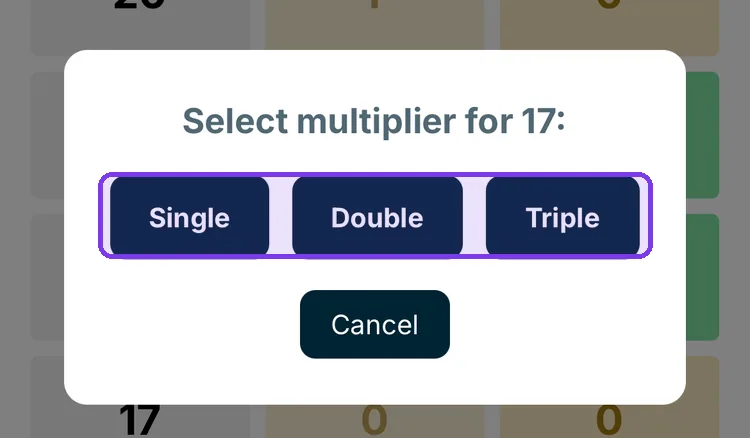
When you tap a number, Dartcom asks for the multiplier: Single counts one hit, Double two, Triple three.
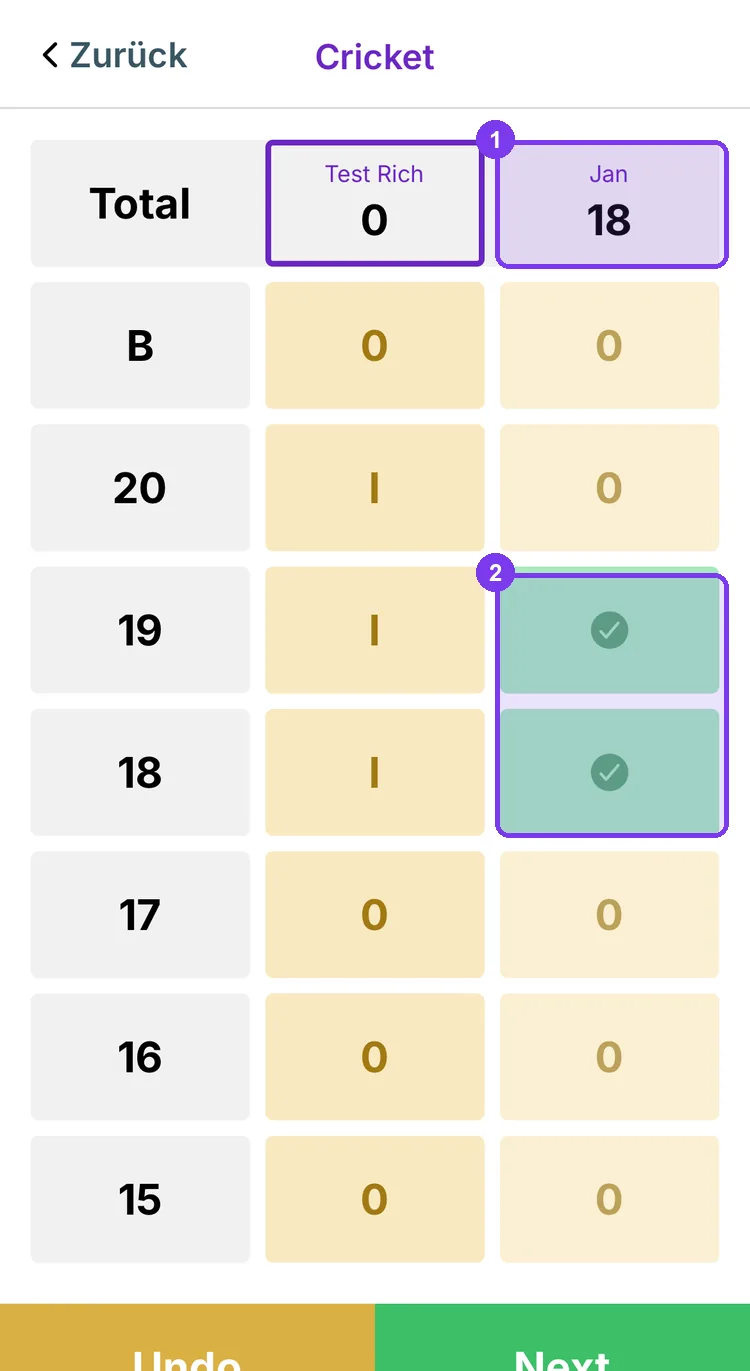
- Total — once a number is closed, you score points on it until your opponent closes it too.
- Green checkmark — this number is closed.
Next: Reading statistics