

How do I permanently delete my Dartcom account?
Updated August 23, 2026
Open Profil → gear icon and tap Konto löschen under Gefahrenbereich. This step is permanent: your profile, statistics, and contributions will be removed.
Where to find the option
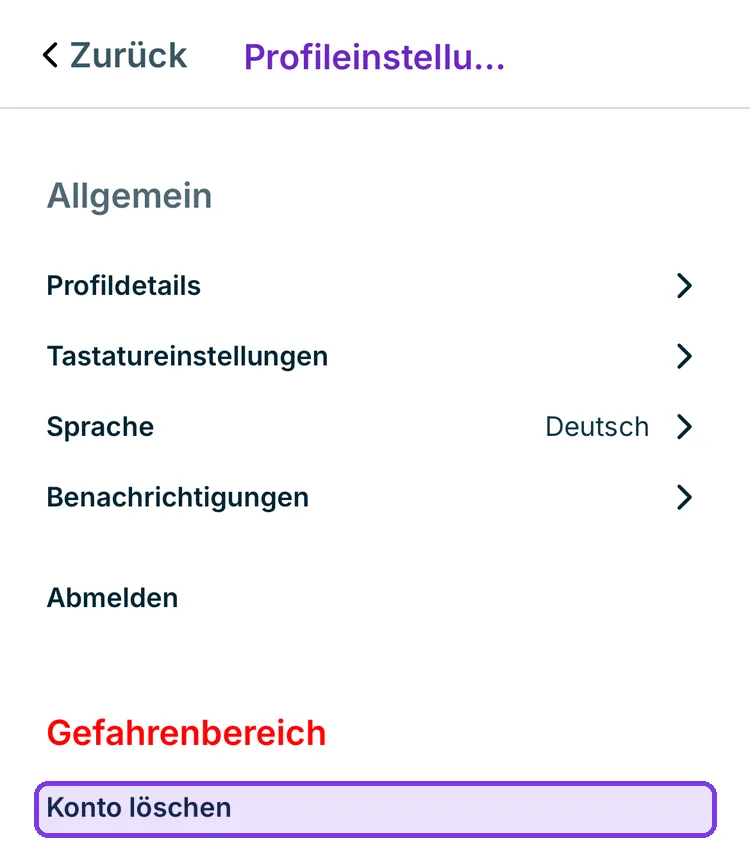
It is located under the red heading Gefahrenbereich, at the very bottom of the profile settings.
What gets deleted
Along with the account, your profile, your statistics, and your contributions are removed. Your club membership is also deleted — you will no longer be part of any Club and will need to be invited again if you return.
If you are the sole owner of a Club, clarify beforehand who will take it over. See Club: founding and managing a club.
This step is permanent
There is no way to restore your account. If you only want to disconnect this device, Abmelden is the right option — everything will be kept intact.